
Every restaurant’s menu is different, but the idea behind a QR ordering system stays the same: make it fast, simple, and mistake-free for both guests and staff. Here is what that looks like in practice, using one of our demo builds.
What Guests See
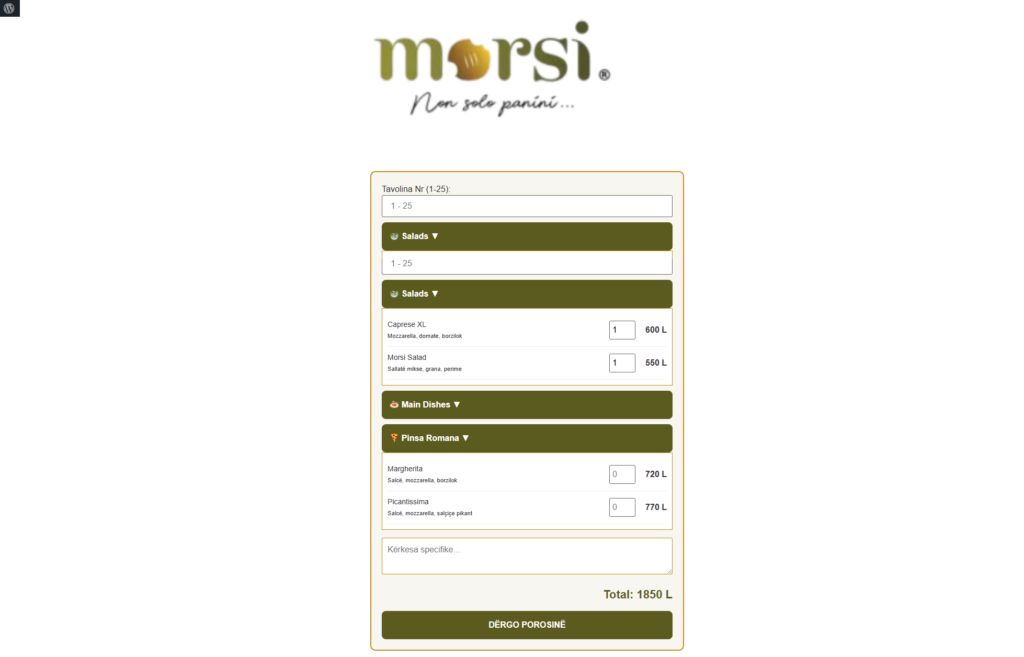
Take a look at Morsi, one of our demo builds. Guests scan the QR code and the menu opens right in their phone’s browser. They browse by category, such as salads, main dishes and Pinsa Romana, choose exactly what they want, and place their order from their phone. There is no app to download and no waiting for a waiter to take notes.
How the Order Reaches the Kitchen
Once the guest confirms, the order goes straight to WhatsApp, ready for the kitchen and bar. Every message arrives with the items and quantities clearly listed, so the staff can start preparing right away. There are no handwritten tickets and no misheard orders.
Why a QR Ordering System Works
- Faster service: guests order when they are ready, and staff spend more time serving.
- Fewer mistakes: the guest chooses the items, so there is less room for misunderstandings.
- Easy updates: when a dish or price changes, the menu is updated in one place.
- Familiar tools: orders arrive on WhatsApp, which most teams already use every day.
Try It Yourself
Pick something from the menu and send a real order. Open the live Morsi demo.
Built Around Your Menu
Every system we build is customized to the restaurant’s actual menu, categories, and workflow. Morsi is just one example of what’s possible.
See It in a Real Restaurant
For a real example from a working restaurant, see our case study on how AmePizzA moved from a printed menu to QR ordering.
Want a QR Ordering System for Your Restaurant?
If you run a restaurant, bar, or café and want to simplify orders, get in touch and tell us about your menu.